Solo learner
Build a habit tracker with check-ins, streaks, and a simple history view.
A focused project that teaches forms, saved data, conditional states, and basic interface structure.
replit for beginnersPractical project ideas
Replit app examples show how a rough idea can become a useful working project. Use this guide to choose a realistic scope, describe the outcome clearly, and improve the result through focused iteration.
Explore the subject
The strongest app projects connect a clear user need to a small, testable first version. These related guides cover the surrounding decisions.
Choose a useful scope
Good app examples are specific enough to build and flexible enough to improve. Start with the user, the repeated task, and the smallest useful outcome.
Build a habit tracker with check-ins, streaks, and a simple history view.
A focused project that teaches forms, saved data, conditional states, and basic interface structure.
replit for beginnersCreate a study planner that organizes subjects, deadlines, and revision sessions.
A shared planning tool with a clear data model and a natural path for dividing work.
replit pythonMake a portfolio site with selected work, project notes, and a contact section.
A presentable web project that communicates a point of view without unnecessary features.
replit examplesPrototype an intake form that collects requests and presents them in a simple review list.
A practical internal workflow that makes one repetitive process easier to manage.
replit online editorBuild a lightweight dashboard that turns a small dataset into filters, summaries, and charts.
A testable interface for checking whether the concept is useful before expanding it.
replit javascriptA repeatable workflow
Treat the first version as a working experiment, not a finished product. Each pass should answer one practical question about usefulness, clarity, or reliability.
Write one sentence naming who uses the app, what they are trying to do, and what a successful result looks like.
Describe the essential screens, inputs, actions, and saved state. Leave secondary features out until the main path works.
Try the app as a real user would. Fix confusing labels, broken states, missing validation, and anything that blocks the core task.
Make progress visible
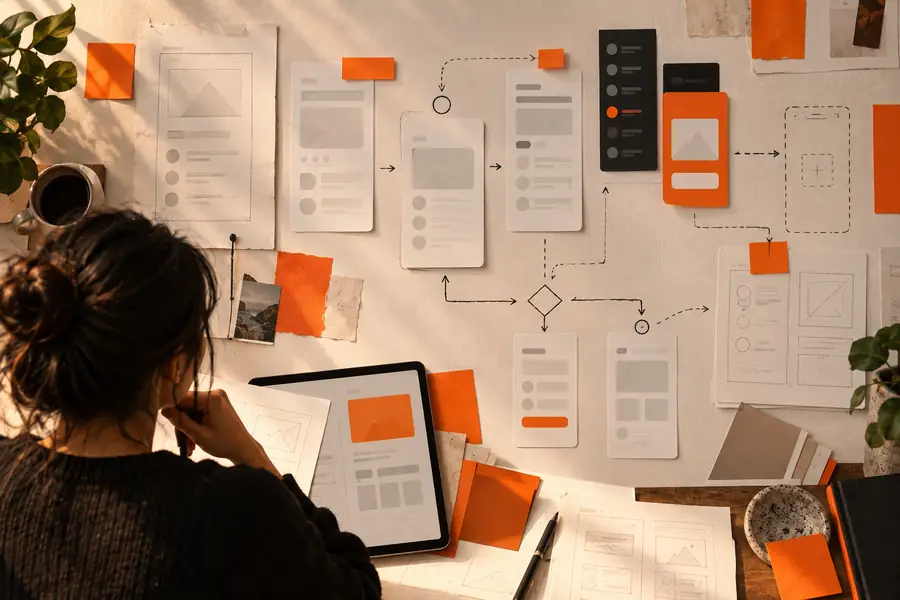
A useful comparison is not about adding the most features. It is about moving from an unclear request to a specific, testable app brief.
 Vague starting point
Testable first version
Vague starting point
Testable first version
Keep expectations realistic
App examples can make building look effortless, but every project still needs decisions about scope, data, testing, and maintenance. Plan around these limits early.
A working demo may still need stronger authentication, error handling, accessibility checks, backups, and deployment review.
Workaround
Use the prototype to validate the workflow, then make a separate hardening pass before relying on it for important work.
Generated code can follow a request while still missing the real user need or creating an awkward flow.
Workaround
Test the result with the intended user and revise the requirements when the behavior is technically correct but practically unhelpful.
Adding accounts, notifications, analytics, integrations, and complex settings too early can hide whether the central task works.
Workaround
Keep one primary action visible and move optional features to a later iteration.
A project that stores personal, business, or sensitive information needs careful choices about access, retention, validation, and recovery.
Workaround
Start with low-risk sample data and document what the app should store before connecting real information.
Turn an idea into a test
Bring a specific user problem and a small first outcome. A focused brief gives your project a better starting point than a long list of disconnected features.
Build your appQuestions people ask
These answers focus on the kinds of projects people mean when they search for app ideas and examples in Replit.
Common examples include habit trackers, study planners, portfolios, intake forms, dashboards, and small productivity tools. The best choice is usually a project with one clear user, one repeated task, and a result you can test quickly.
Choose a small app that solves a problem you understand personally. A tracker, planner, form, or simple dashboard is often easier to scope than a large social network or marketplace because the main workflow can be described in a few steps.
Describe the intended user, the main action, the information the app needs, and what should happen after that action. You do not need to decide every visual detail, but you should make the first successful outcome unambiguous.
Yes. A small app can teach interface structure, data handling, validation, debugging, and iteration in one connected project. Keep the first version narrow so you can understand why each part exists rather than copying complexity you cannot yet explain.
Test the main flow from the user's perspective and record points of confusion or failure. Fix the core path first, then improve labels, empty states, validation, accessibility, and secondary features one change at a time.